Track Every Gig. Invoice Every Client.
The gig management software that logs your performances, generates professional invoices, and handles GST and member payouts automatically.
No credit card required
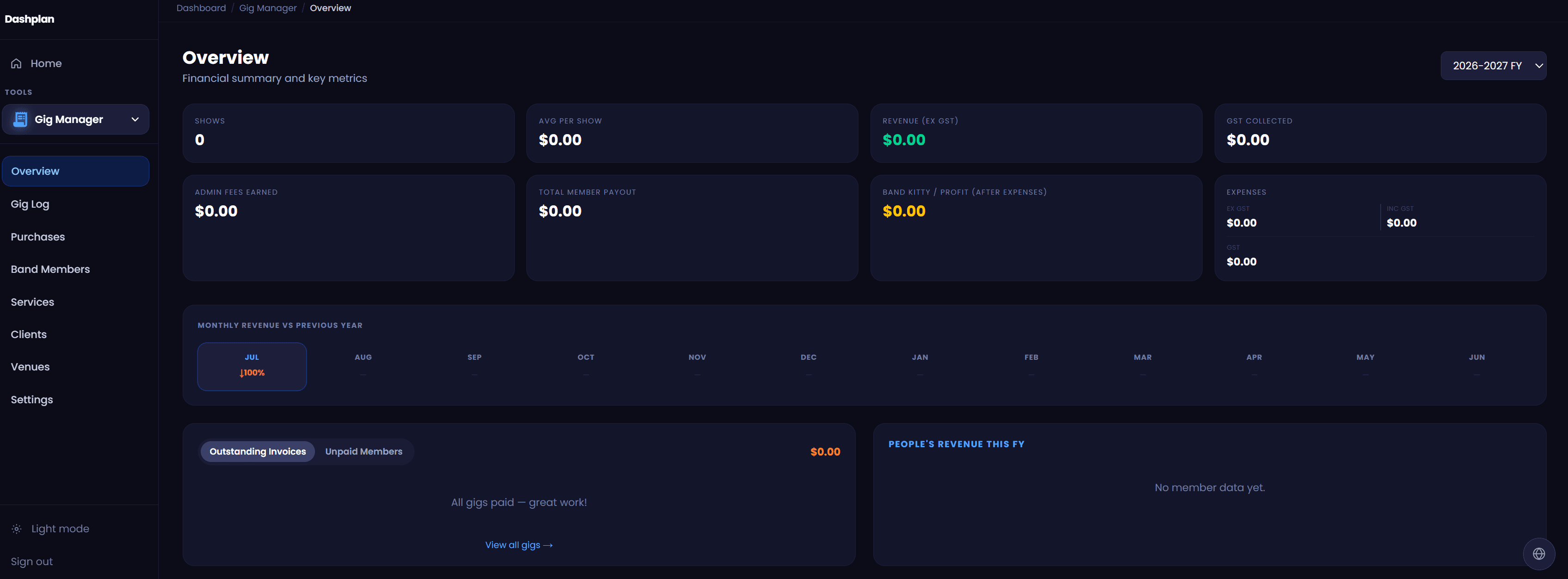
What's included
Full performance log
Every gig recorded with venue, client, date and payment status at a glance.
One-click invoicing
Generate a professional invoice from any gig, ready to send in seconds.
GST and member payouts
Dashplan splits the fee, calculates GST and tells you exactly who gets what.
Stop losing track of your gig income
Most working musicians track their gig income in a spreadsheet — or not at all. Dashplan's gig management software gives you a running record of every performance: venue, client, date, fee, and payment status in one place.
At tax time, everything is already there. Outstanding invoices are flagged. Year-to-date earnings are visible at a glance. For Australian musicians, GST is calculated automatically and split out correctly on every invoice.
Beyond tracking, Dashplan handles the admin that eats into your time after every gig. Generate a professional invoice from any logged performance in one click, split the fee between band members, and see exactly what everyone is owed — without touching a calculator.
The financial year overview lets you see earnings month by month, compare years, and understand your income patterns at a glance. For sole traders and registered entities, every invoice includes your ABN and complies with Australian tax invoice requirements.
Outstanding invoices are surfaced clearly so you always know who still owes you. Log payments as they arrive, and your records stay accurate throughout the year — not just when you're scrambling at tax time.
Part of Dashplan — A$25/month
Every Dashplan tool is included. Band members join free.
Create free accountFrequently asked questions
Does the Gig Manager generate invoices?+
Yes. Every gig you log can produce a professional invoice in one click — including your ABN, client details, gig description, fee, GST component, and your payment details.
How does it handle GST?+
Mark a gig as GST-applicable and Dashplan calculates the 10% component automatically, displaying it correctly on the generated invoice.
How does member pay splitting work?+
Add your band members to the gig, set their rate, and Dashplan calculates each person's cut — showing exactly what everyone is owed after deductions.
Is this gig management software only for bands?+
No. Solo musicians, duos, and any size act can use Dashplan. You can log gigs solo without adding any band members — the member payout features are optional.
Can I track whether an invoice has been paid?+
Yes. Each gig has a payment status — outstanding, paid, or partial. You can update this as payments arrive and filter your gig list to see only unpaid invoices.
Can I see my total earnings for the financial year?+
Yes. The financial overview shows month-by-month earnings with a financial year selector, so you can see YTD income, compare years, and understand your income patterns at a glance.
Does it work for musicians who are not registered for GST?+
Yes. GST is optional on each invoice. If you're not registered for GST, simply leave it off — Dashplan will generate a standard invoice without the GST component.