Forget the Template. Build a Live Stage Plot Instead.
A stage plot template is a file you update manually and resend every time your setup changes. Dashplan's builder creates a live link — always showing your current setup, shareable with venues in seconds.
No credit card required
What's included
Drag-and-drop builder
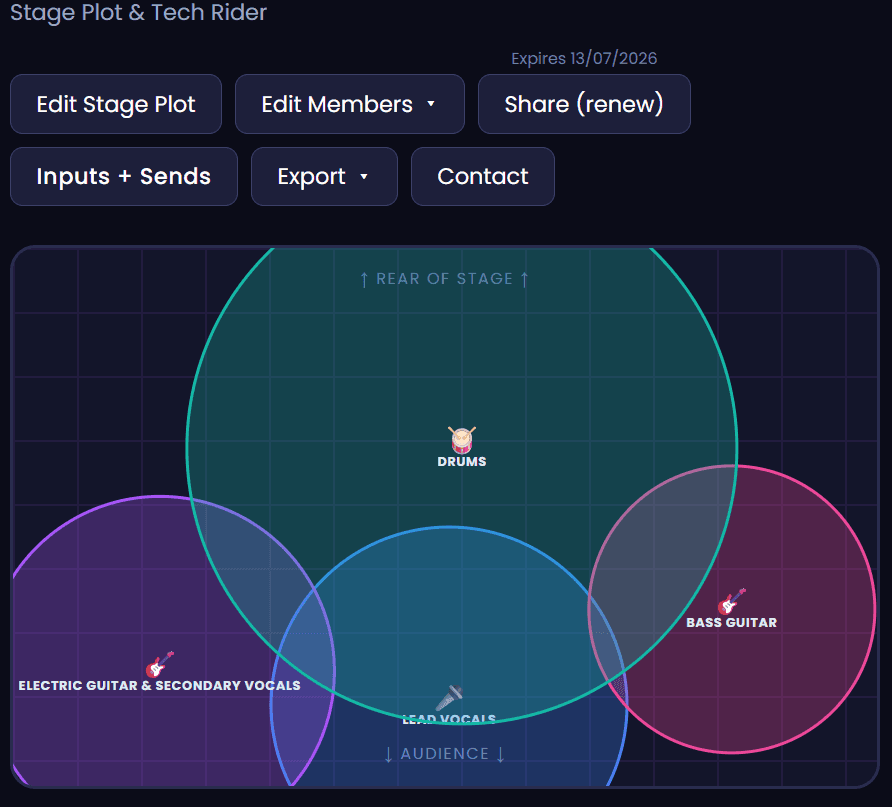
Position every band member, amp, monitor and mic on a visual stage grid in minutes — no design software needed.
Gear notes per person
Add monitor mix preferences, input channels and tech rider details for each position on stage.
Live share link
Share a link with venues instead of a PDF. Update your setup and the link reflects it instantly — no resending.
Why a stage plot template falls short
A stage plot template is a file — usually a PNG, PDF or Word document — that you fill in with your current setup and send to venues before each show. It works until something changes: a new member, a different monitor arrangement, an updated input list. Then you're editing the file, resending to every venue, and hoping they saved the new version over the old one.
Dashplan's stage plot builder creates a live stage plot on a shareable link. Drag each band member, amp, monitor and mic into position on a visual grid, add tech rider notes per person, and share the link with any venue. When your setup changes, update it once in Dashplan — the link your venues already have reflects the new version immediately.
A professional stage plot covers: each performer's position and instrument, amp or DI configuration, monitor mix requirements per person, vocal mic placement, and input channel numbers. Dashplan's per-member note fields let you capture all of this alongside the visual layout — so the engineer has everything before load-in, not just a diagram.
Unlike a static file, Dashplan's stage plot lives alongside the rest of your band management. Build multiple stage plots for different configurations — full band, acoustic duo, stripped-back show — and share the relevant one per booking. Venues get a clean, professional layout; you save the time of rebuilding a document every time something changes.
Whether you're a 3-piece original band at a local venue or a 9-piece function band at a corporate event, a professional stage plot is one of the clearest signals that you're organised and easy to work with. Dashplan gets you from zero to shareable in minutes — no Photoshop, no PDF editor required.
Part of Dashplan — A$25/month
Every Dashplan tool is included. Band members join free.
Create free accountFrequently asked questions
What should I include in a stage plot?+
At minimum: every performer's position and instrument, their amp or DI setup, monitor requirements per person, vocal mic placement, and input channel numbers. Dashplan's per-position notes make it easy to capture all of this without a separate tech rider document.
Is a stage plot the same as a tech rider?+
A stage plot is the visual diagram of positions and gear. A tech rider is a written document listing your full technical requirements — PA spec, backline, hospitality. They're often sent together; Dashplan's per-member notes let you include tech rider details alongside the visual layout.
Can I download a stage plot as a PDF?+
Yes. You can export your Dashplan stage plot as a PNG to attach in emails, print for the stage, or include with a tech rider. The shareable link is more useful day-to-day — venues always see the most current version without you resending anything.
Do I need a stage plot if I'm a small band?+
Yes. Even a duo or trio benefits from a stage plot. It tells the sound engineer where to run cables, how many monitors you need, and what inputs to prepare. A clear stage plot means a faster, smoother soundcheck every time.
Can I have different stage plots for different setups?+
Yes. Dashplan saves multiple stage plots — one for your full band, one for a duo set, one for an acoustic show. Share the relevant one per booking.
Can band members view the stage plot?+
Yes. Band members on your Dashplan account can view the current stage plot from their own dashboard — useful before load-in so everyone knows where they're standing and what gear they're bringing.
How long does it take to build a stage plot in Dashplan?+
Most musicians have a basic stage plot done in under 10 minutes. Drag members into position, add gear notes, and share the link.